How we automated customer support inside Sabi

Posted by
Latest Posts
I’m bootstrapping Sabi with my co-founder Stephen Diaz. We’re leveraging AI automation as much as we can so our small team can support a large user base.
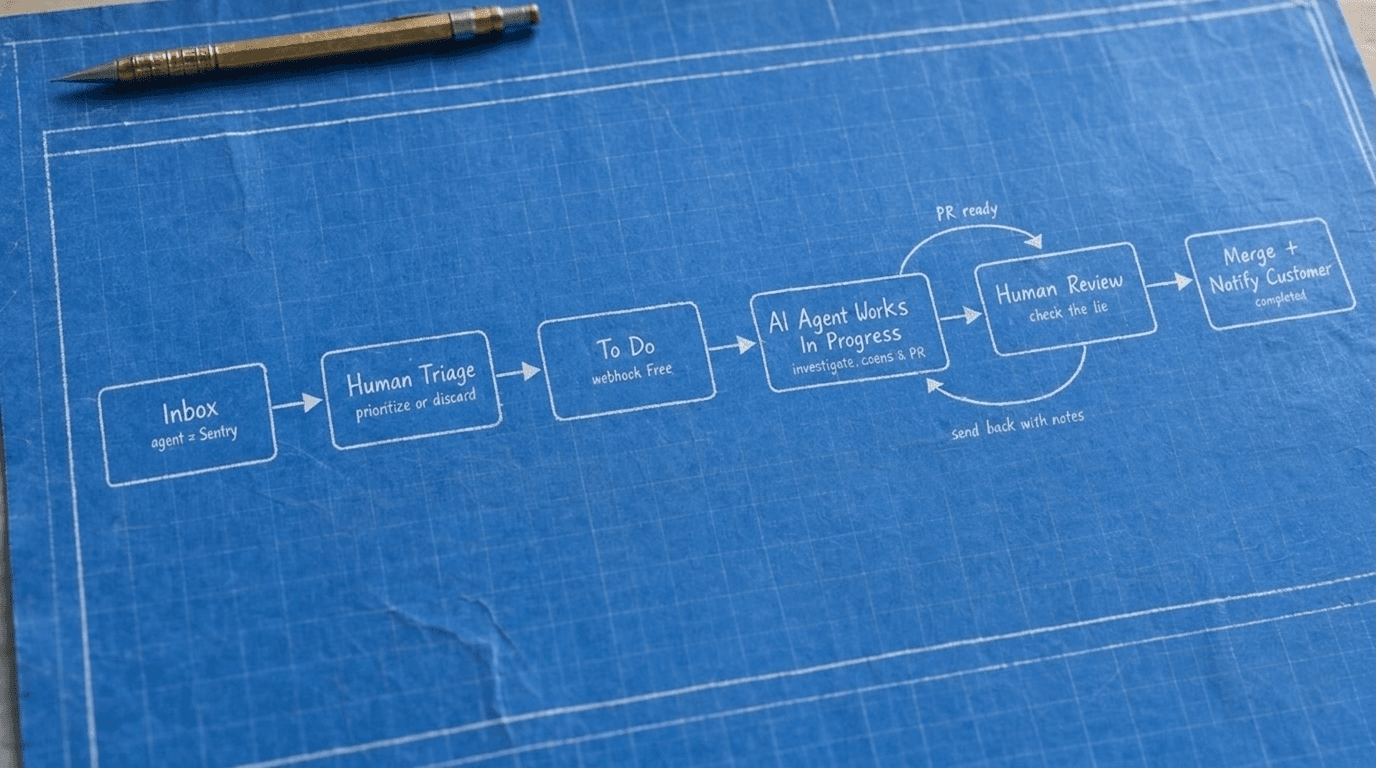
Here’s a quick guide on how we structured our customer support. Our users are already talking to Sabi, so we trained Sabi to report bugs directly. A bug comes in, a human prioritizes it, Devin creates a PR, then hands it back to a human for review.
I've had a couple of founders ask how to set up, so here's the behind-the-scenes look.
The Workflow
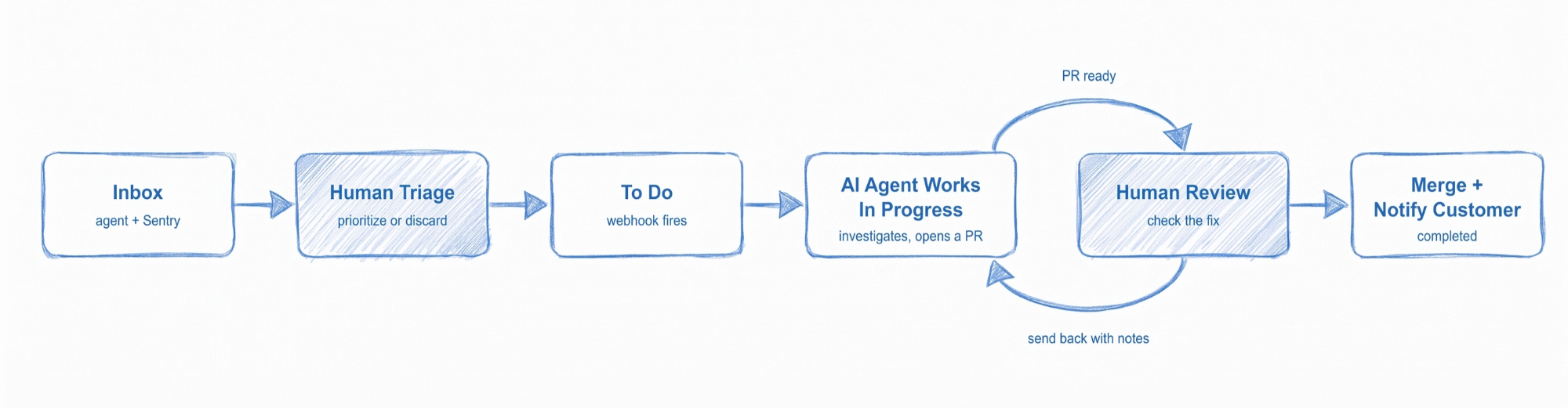
The whole thing runs on one table in Supabase with these statuses:
- Inbox - Arrives from customer via Sabi or Sentry feedback
- To Do - Human adds to this column and Devin picks it up.
- In Progress - Devin is working
- In Review - Ready for Human review
- Completed - Customer has been notified
- Discard - Humans can delete (typically duplicates)
Feedback reaches the inbox two ways, and neither involve a support form.
The primary way comes from Sabi, herself. When a user says "that didn't work" or asks for something that doesn't exist yet, Sabi gathers all debugging info, and initial request then files a ticket on the user’s behalf.
Second way, is to pull user feedback directly out of Sentry. A sync job imports new feedback reports, skips anything already imported, and matches each report to a customer by email.
Single inbox. No email threads, no separate bug tracker, no Slack channel.
2. A human triages the inbox
This is the first of two places a human touches the loop. Someone reviews each new ticket and can then move it to To Do, discard, or add additional notes for another session (i.e., procrastination! 😂).
The human sets the priority. You know which customer is hurting, which bug is embarrassing, and which feature has been requested three times already!
3. Moving a ticket to To Do wakes the agent
When a ticket moves from Inbox to To Do, the app fires a webhook at a Devin automation. That starts a fresh agent session which claims the ticket, moves it to In Progress, and leaves a note on the ticket with a link to its own session.
4. Agent has full access
This is the part that makes the loop work. Devin is connected to our Sentry, our servers, and Supabase. It reads the ticket in the user's own words, follows the Sentry link if there is one, checks the customer's activity log, and reads the customer's chat history to see what went wrong. Our human admins are blocked from reading customer conversations.
Devin then fixes the bug on a branch, runs Devin Review, 1200+ test suite, opens a pull request referencing the ticket, and moves the ticket to In Review with a note linking the PR.
If the agent can't fix the issue (a broken API key, a third-party outage, something only a human can handle), it still moves the ticket to In Review and adds a note.
5. A human reviews, merges, and closes the loop
Second human touchpoint. We review the PR like any other code. If it's right, we merge, mark the ticket Completed, and send the customer a short "it's fixed" message from the ticket itself. If it's not right, we send the ticket back to the agent with a note about what to change, and it takes another pass.
Two rules we never break: the agent doesn't mark its own work complete, and the agent doesn't message the customer. Shipping and speaking to users stay human.
What it looks like in practice
- A user tells Sabi "my calendar events aren't syncing." Sabi files the ticket mid-conversation.
- That evening, someone drags it from Inbox to To Do. The webhook fires.
- Devin claims it, reads the chat history and the Sentry trace, finds the reconnect bug, and opens a PR. The ticket sits in In Review with the PR linked.
- Next morning we review, merge, and hit send on the fix message. The user hears back inside a day, and no engineer spent an afternoon on it.
You don't need our stack to copy the pattern. Here's the short version:
- Make one table for tickets with a status column: Inbox, To Do, In Progress, In Review, Completed, Discard. Show it as a kanban board in your admin.
- Wire up intake. If you have an in-product agent, give it a tool that files tickets with the user's identity attached. Sync your error tracker's user feedback into the same table so there's exactly one queue.
- Fire a webhook when a ticket moves to To Do. Point it at a coding agent that can start sessions on its own. Dragging the card becomes the dispatch.
- Give the agent the same access a human would have. Error tracker, server logs, database, activity events. The agent is only as good as the context it can pull.
- Keep triage and review human. The agent never closes a ticket and never messages a customer. Those two rules are what make the rest safe to automate.
As always, if you have questions, send me a reply!
AI-First App Founders
Don't miss a post
Practical notes on building AI-first apps from the Inovo team.